 easy
EASYEPG FIELD GUIDE / SERVICE INFORMATION
How to generate an EPG from your playlist
Import a file, M3U URL or Xtream Codes account, choose your live groups, inspect actual matches and get a hosted XMLTV guide.
The short answer
EasyEPG builds a programme guide for the live channels in the playlist you already use. Import that playlist, choose the groups you watch and inspect the programme preview. If the coverage suits you, one payment of £6.85 provides one hosted XMLTV guide for 12 months. No television access or player subscription is included.
You do not have to pay to discover whether your channels match. A programme guide is useful only if it contains the right channels and regional schedules, so the preview comes before checkout.
1. Import the playlist you actually watch
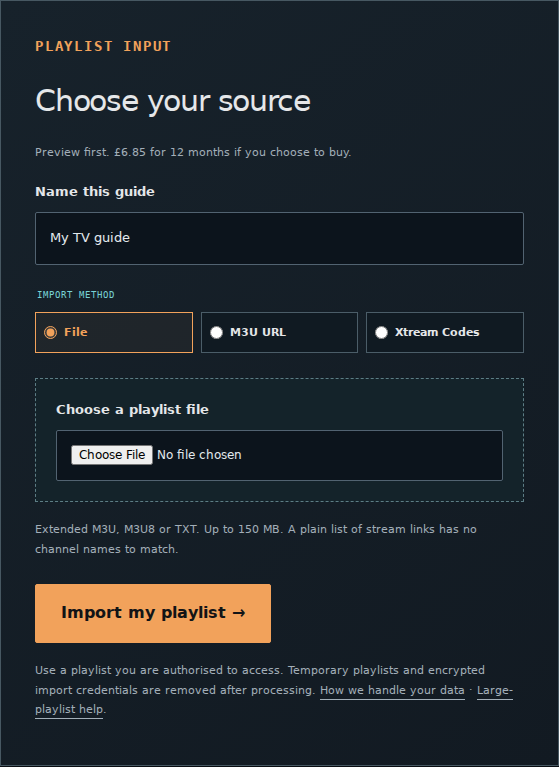
Choose one of three inputs: an extended M3U/M3U8/TXT file, your complete M3U download URL, or an authorised Xtream Codes server, username and password. Each route leads to the same live-group selection. You do not need to convert an Xtream account into a file first.
A file containing only stream addresses is not enough: the importer needs channel metadata such as names, tvg-id and group-title. A normal provider playlist usually includes #EXTINF entries. If your provider offers a live-only export, use it to reduce processing and avoid unnecessary movies and episodes.
2. Wait for the live groups, then choose what to include
File uploads transfer in small chunks. Remote playlists are downloaded to private temporary storage and then read in batches. The progress page reports download bytes, lines processed and live channels found; this is separate from EPG matching.
Recognisable movie, series and 24/7 entries are excluded. You then see the remaining groups and their channel counts. Keep the countries and packages you watch. Deselect any unusually labelled on-demand group that slipped through: M3U does not have one universally reliable live/VOD flag.
Nothing is matched or purchased merely because it appeared in the import. The Match selected live channels button locks your chosen group selection for this guide and starts schedule matching.
3. Review the preview, including the gaps
Use the preview to inspect available current or upcoming programme data for your selected channels. Check that your essential channels are covered rather than assuming every uploaded entry will appear in the finished guide. A plausible channel name is not evidence of the correct schedule.
Check your essential channels individually. A high match percentage can still be unsuitable if the channels you watch most are missing. Compare country, region and programme title. A news channel’s international feed, for example, may have a different schedule from its domestic feed.
The generated file includes matched entries only. The output window reaches up to five days ahead where source data exists; it does not promise five days for every channel. The public coverage page helps you inspect source availability, while your own preview tests whether your particular playlist can use it.
4. Pay once and return for the link
When the preview meets your needs, accept the terms and continue through yerman.uk to Stripe. Your order fixes the displayed price and access period. A verified successful payment queues the guide for generation, and you return to your guide page on EasyEPG.
Leave the page open or come back through your account. The private XMLTV URL appears after the first successful build. If payment succeeded but the guide is still building, do not pay again: use the guide reference when contacting support.
5. Connect your player and save your account
Copy the complete feed URL into the player’s external EPG/XMLTV source field. Keep your existing playlist source: the feed is programme data, not a replacement stream subscription. Refresh the player’s guide and check one familiar programme.
Sign in or register using the one-use link sent to your payment email. Your paid guides are collected in the member area. You can buy another guide for a different playlist without replacing the first. Each purchase has its own stable link and 12-month access period.
What happens after the first day?
The server rebuilds your guide from available programme data each day. Your URL stays the same during the purchased access period, but your player must also download it again to see new listings. Keep automatic guide updates enabled in the player.
The selected playlist is a snapshot of the channels you submitted. We do not retain provider credentials to reconnect and discover new channels later. If you change to a different package or playlist, preview and purchase a new guide rather than assume it will appear automatically. There is no recurring renewal charge.